Show your latest posts and videos on your store pages. Tag products and, on Salla and Zid, let shoppers add to cart from the feed. It stays fresh without touching it again.
Your store@yourstoreFollow usFollow usShop the videosAdd to cartWinter jacketSAR 249Add to cartSidr honey 500gSAR 189Add to cartOriental perfumeSAR 320
Your storeAllNewIslamic wall artModern wall artGifts
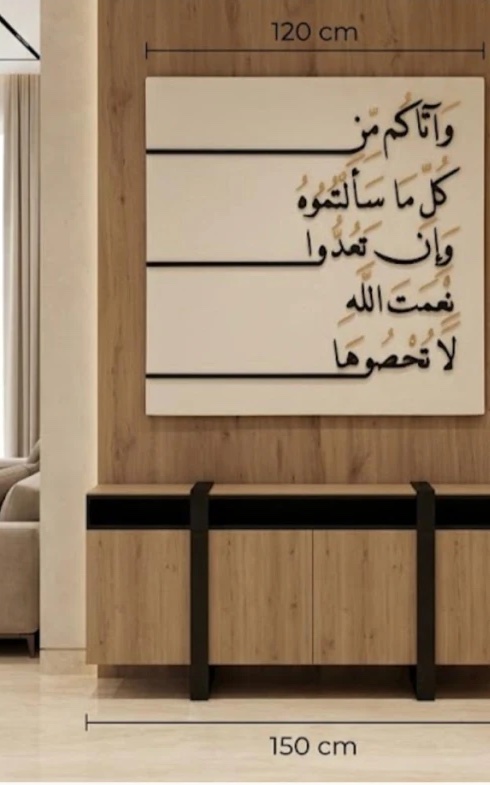
HomeAllVelvet square wall art – calligraphy piece
Velvet square wall art – calligraphy piece(1 review)SAR 1,530SAR 1,7004×SAR 382.50 a month for 4 monthsMade in 3–5 days, then shipped to you. Free shipping inside Saudi Arabia.Add to cartBuy nowBuy with Apple PaySize120 × 120 cmPiecesOne pieceMaterialPremium velvetShop the videos
Seen on social
2 products
SAR 1,530
Everything your content can do in your store
One app. Every surface a shopper sees, from the home page to the cart.
Your Instagram and TikTok, live in your store
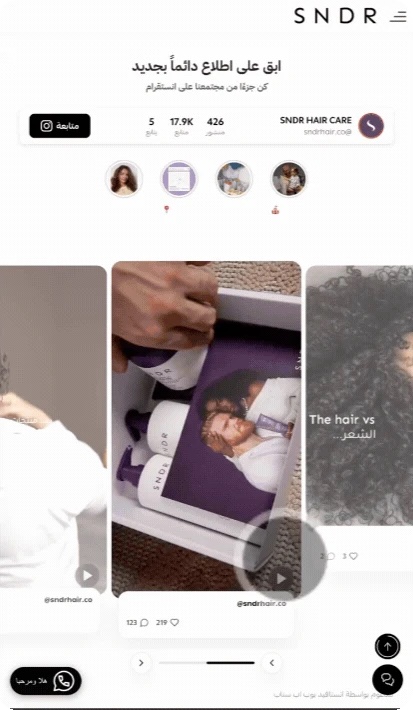
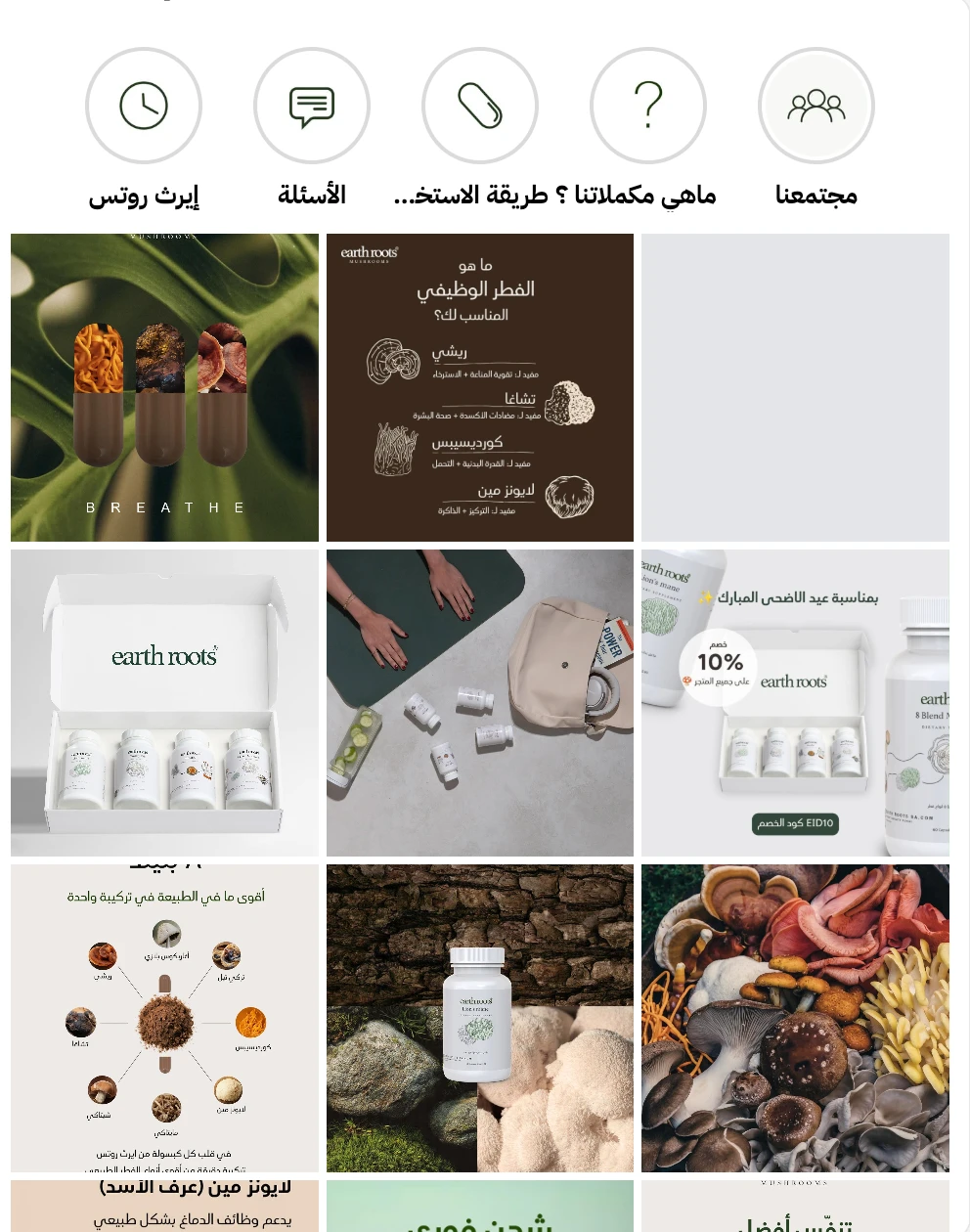
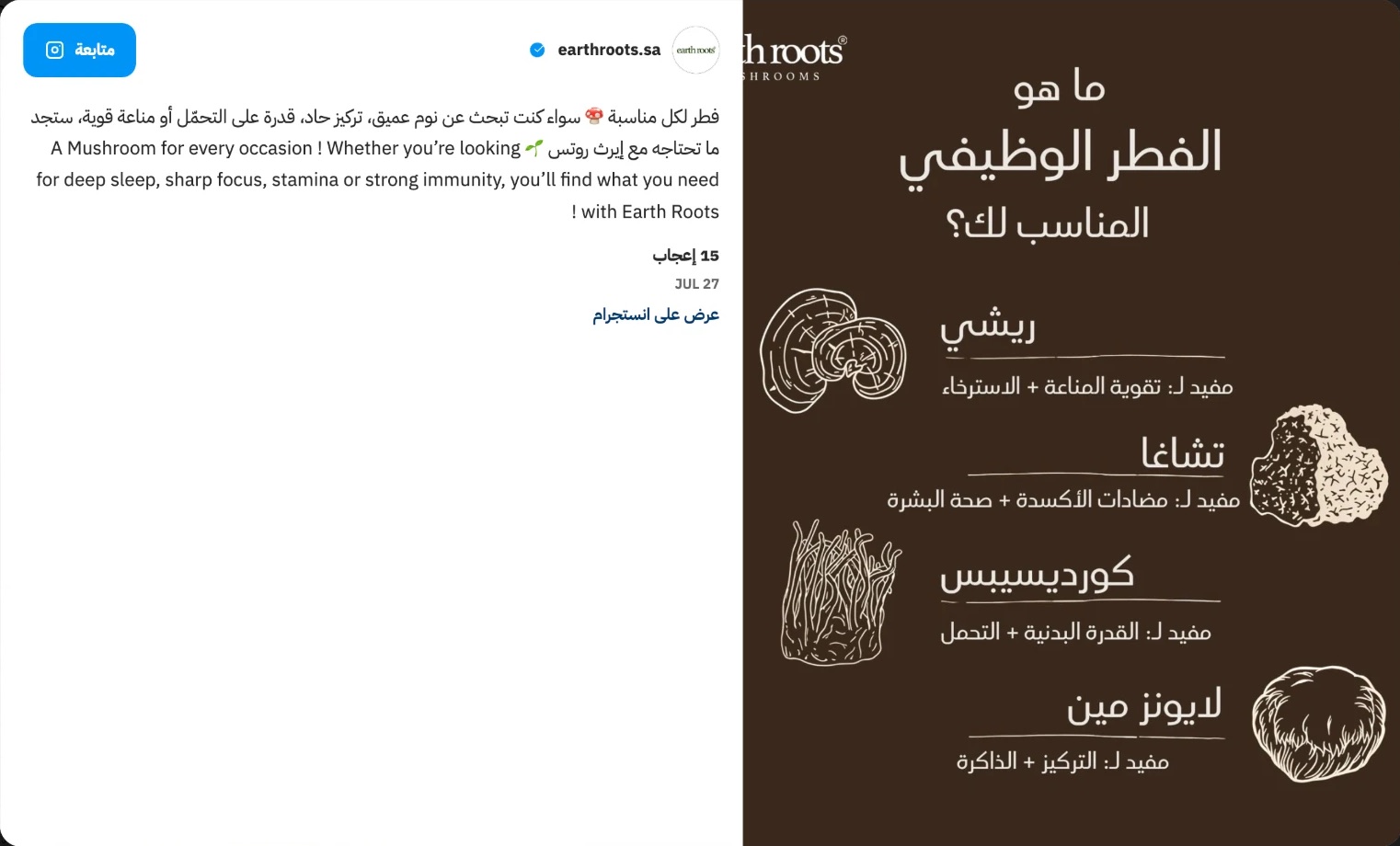
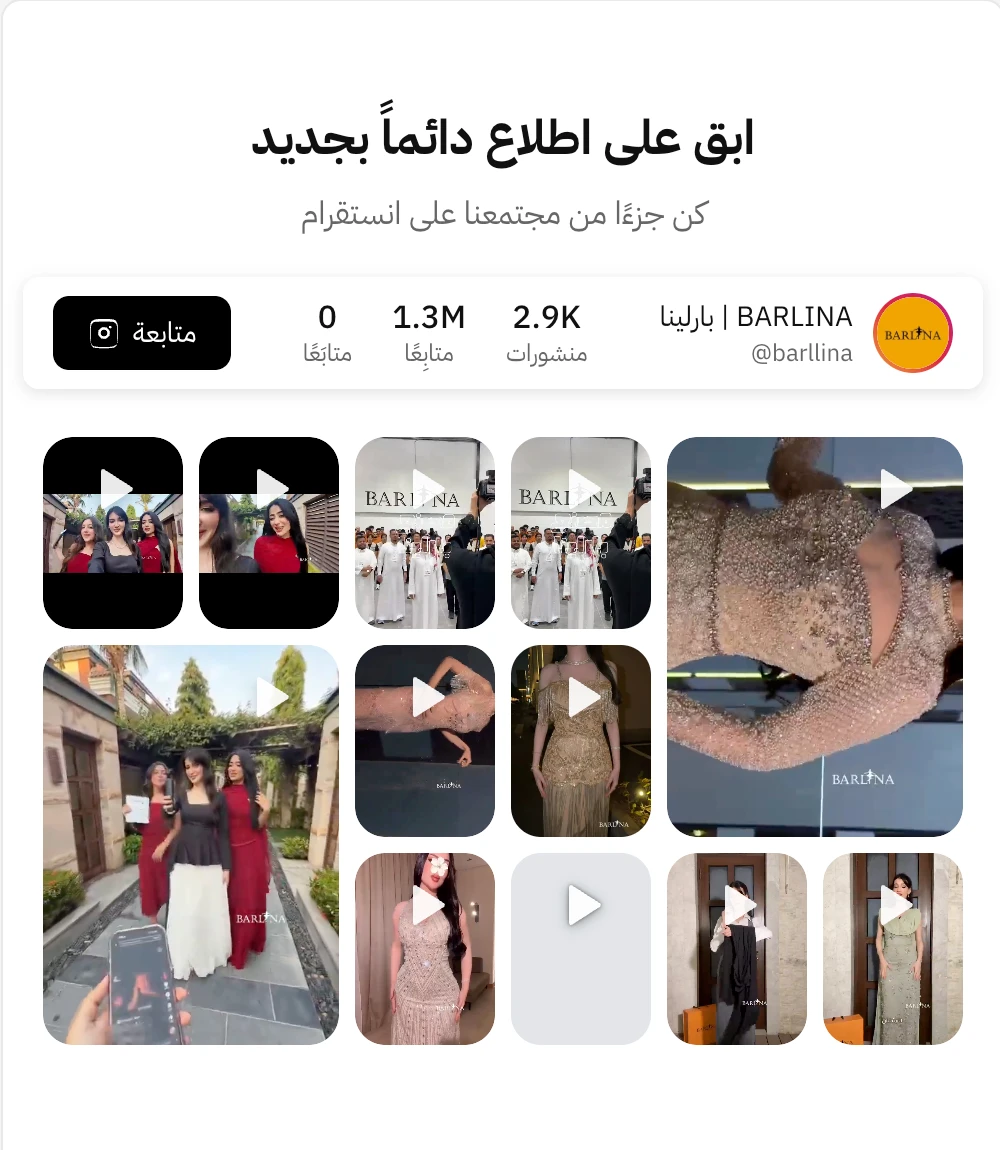
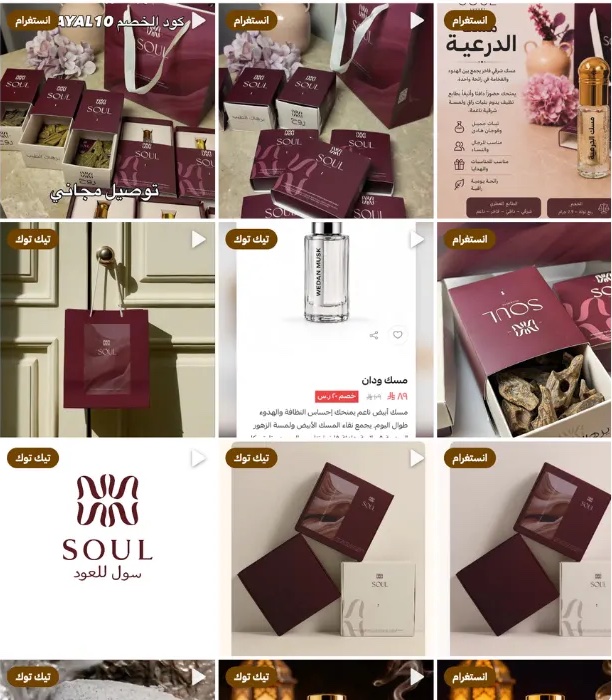
Instagram posts, videos and carousels, and TikTok videos in one grid or slider. Your highlights sit on top as story circles. New content appears on its own; you never come back to update it.
Grid, slider, masonry and video strip layouts
Separate rows, columns and counts for phone and desktop
Highlights open full screen like stories
@shesafe.sa
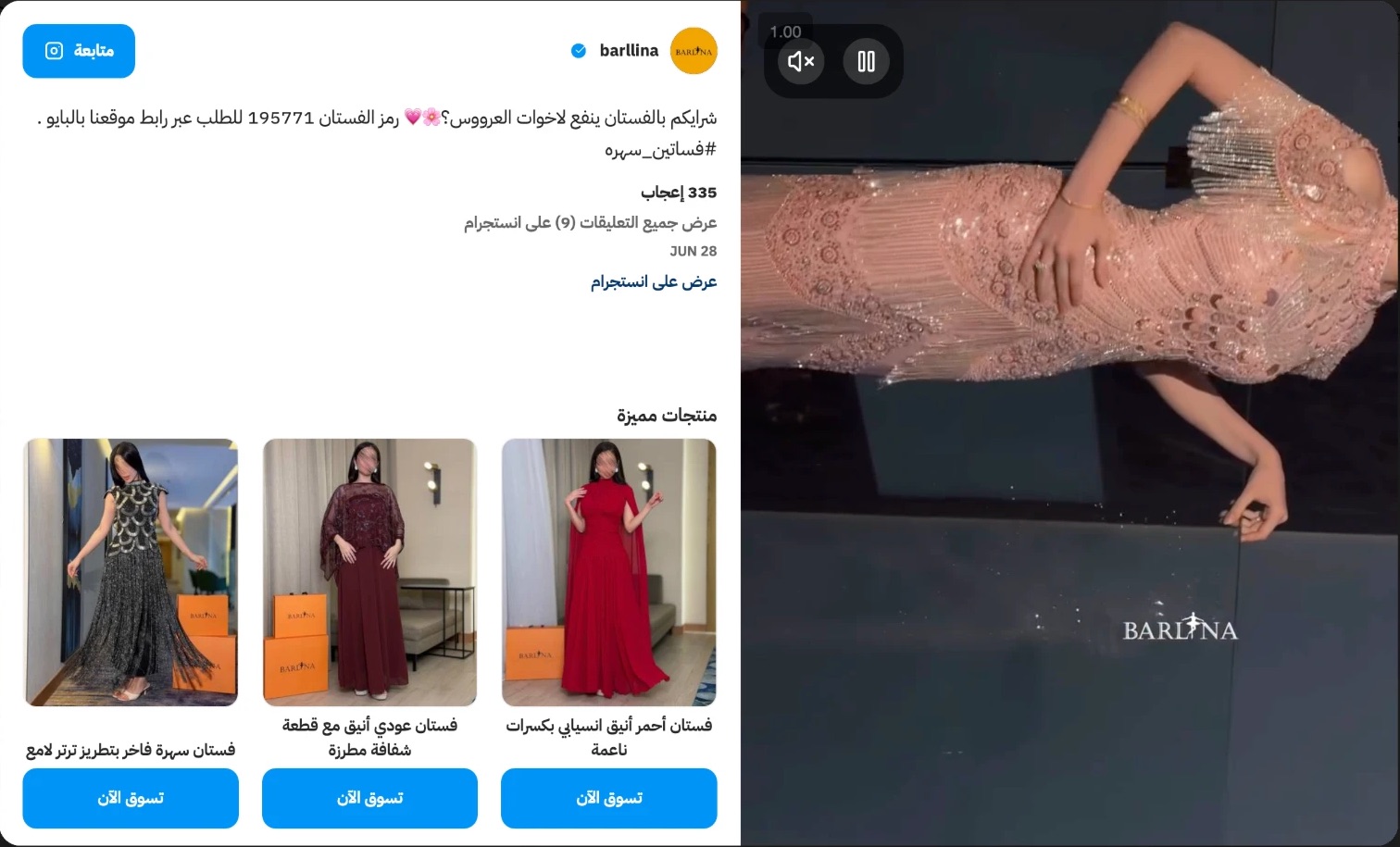
Tag the product once. Shoppers add it to the cart from the post
Up to ten products on any post or video, with a hotspot on the image, the live price and the variant picker. Add to cart happens without leaving the page. On Salla, Zid and WooCommerce.
Hotspots on the image, price and old price from your catalog
Variants: size and colour picked in place, sold-out shown
Hashtags and product links in captions link automatically
Instagram and TikTok videos that sell, with the product card on the video
Vertical video tiles with the product and price, a full-screen viewer with add to cart, and a floating video bubble that follows the shopper around the store.
Muted autoplay only when visible; no layout shift
Upload your own videos and images, or add them by link
TikTok and Instagram in the same strip, newest first
@yourstore2Sidr honey 500gSAR 189 SAR 229Add to cart
Every product page shows its own videos and posts
No setup per page. The app knows which posts show a product and puts them on its page: a video inside the gallery, a strip under it, and a small floating teaser.
Related first, then recent, with a minimum you set
Category pages work the same way
Sticky follow button and floating post on any page
Product page
Your storeAllNewIslamic wall artModern wall artGifts
HomeAllVelvet square wall art – calligraphy piece
Velvet square wall art – calligraphy piece(1 review)SAR 1,530SAR 1,7004×SAR 382.50 a month for 4 monthsMade in 3–5 days, then shipped to you. Free shipping inside Saudi Arabia.Add to cartBuy nowBuy with Apple PaySize120 × 120 cmPiecesOne pieceMaterialPremium velvetShop the videos
Seen on social
2 products
SAR 1,530
You decide what your store shows
A dashboard built for merchants, in Arabic first.
Drag the best posts to the front, hide the rest, or keep new posts waiting for your approval.
Example
PinnedPinnedHiddenApprove?
PinnedPinnedHiddenApprove?
Show only #ramadan, exclude a tag, or pick photos only, videos only or everything.
Example
#ramadanPhotosVideosAll
#ramadanPhotosVideosAll
Home, product, category or custom pages. Columns, spacing, corners, hover effect and autoplay, per device.
Example
Home pageProduct pageDesktopPhone
Columns4
Home pageProduct pageDesktopPhone
Columns4
Arabic, English, French, Turkish, Spanish and Urdu. The shopper sees the title in the store's language.
Example
العربيةEnglishFrançaisTürkçeEspañolاردو
Our Instagram feed
العربيةEnglishFrançaisTürkçeEspañolاردو
Our Instagram feed
Inherits your font, colours and corners. On Salla it uses the store's own options and cart components.
Example
FontAa
Colours
Corners
Winter jacketSAR 249Add to cart
From your theme
FontAa
Colours
Corners
Winter jacketSAR 249Add to cart
From your theme
A guided tour opens your live store and walks you through every surface before you publish.
Example
Tour · step 2 of 4
This is where the feed goes on your home page.Publish
Tour · step 2 of 4
This is where the feed goes on your home page.Publish
Visitors comment on your shop videos. Abusive comments in Arabic and English are blocked automatically; hide, delete or reply as the store from one screen.
Example
All 2VisibleAuto-blockedHidden
Abusive comments in Arabic and English are blocked before your customers see them.
VVisitor VisibleAmazing 🔥
VVisitor VisibleIs it available in size M?
Reply as the store…Publish reply
All 2VisibleAuto-blockedHidden
Abusive comments in Arabic and English are blocked before your customers see them.
VVisitor VisibleAmazing 🔥
VVisitor VisibleIs it available in size M?
Reply as the store…Publish reply
Everything your feed needs
Built for stores that sell with social content.
Live on your store
1 · An Instagram feed that stays fresh
Posts, videos and carousels from your account, in a grid or a slider, updated automatically.
Live on your store
2 · TikTok videos too
Show your TikTok videos next to your Instagram posts, in the same feed.
Live on your store
3 · Highlights
Put your highlights at the top as story-style circles that open full screen.
Live on your store
4 · Shoppable posts
Tag products on a post and let shoppers add to cart straight from the feed. On Salla, Zid and WooCommerce.
Live on your store
5 · Videos on product pages
Show the posts and videos that feature a product on its own page. On Salla, Zid and WooCommerce.
Live on your store
6 · Product pages know their product
Posts and videos tagged with a product show on its page first, with no per-page setup. On Salla, Zid and WooCommerce.
Live on your store
7 · Automatic product linking
Map a hashtag to products once, or paste the product link in the caption; the post becomes shoppable on its own.
Live on your store
8 · Floating follow button and post
A small floating button and post card that stay with the visitor while they browse.
Live on your store
9 · You choose what shows
Hide, pin and approve posts so only the best ones reach your store. On Salla, Zid and WooCommerce.
Live on your store
10 · Your own uploads
Add a video or image by file or link and tag it like any post.
Live on your store
11 · Comments on shop videos
Visitors comment, abusive ones are blocked automatically, and you reply as the store.
AnalyticsAll placements7 days30 days90 daysCSV
Impressions12.4K+18% vs previous periodPost opens3180+24% vs previous periodOpen rate25.6%+1.2 vs previous periodAdd-to-cart attempts412-3% vs previous periodCart adds from content318+12% vs previous periodCart value from content27.4K SAR+15% vs previous period
EngagementDailyWeek 1Week 2Week 3Week 4ImpressionsPost opensProduct clicksImpressions, previous period
Cart addsAdds and their valueWeek 1Week 2Week 3Week 4Cart addsCart value
From view to cartImpressions12.4KPost opened3,18026%Product clicked1,34011%Added to cart3182.6%
Where views come fromDeviceMobile 62%Desktop 29%Tablet 9%SourceInstagram 78%TikTok 22%62% of your views are on mobile. Keep your videos vertical (9:16) and pin a product to every post.
Top selling postsWinter jacket11SAR 249Sidr honey 500g9SAR 189Oriental perfume7SAR 320
Illustrative numbers
Live on your store
12 · Analytics and reports
See views, opens and plays, and get a regular report on how the feed performs.
InstaFeed09:00Your InstaFeed week: 12.4K views, 318 product clicks, 27 influenced orders. Top post: the hair care sets video.
Weekly report on WhatsApp and email
Every week, the feed's numbers in a short message. No login needed.
Live on your store
13 · Weekly WhatsApp and email report
The week's views, clicks and top posts, sent to you.
InstaFeed09:00Your InstaFeed week: 12.4K views, 318 product clicks, 27 influenced orders. Top post: the hair care sets video.
Weekly report on WhatsApp and email
Every week, the feed's numbers in a short message. No login needed.
Live on your store
14 · Email embed
Drop your latest posts into your marketing emails.
Live on your store
15 · Structured data for search
Add structured data for your posts and videos so search engines understand them.
Live on your store
16 · Guided store tour
Open your live store with a step-by-step tour of every InstaFeed surface.
Live on your store
17 · Arabic first, six languages
Dashboard and widget in Arabic and English, section titles in six languages.
Numbers that show what sells
Views, clicks, top posts and products, and the orders your content influenced. A weekly report comes to you.
AnalyticsAll placements7 days30 days90 daysCSV
Impressions12.4K+18% vs previous periodPost opens3180+24% vs previous periodOpen rate25.6%+1.2 vs previous periodAdd-to-cart attempts412-3% vs previous periodCart adds from content318+12% vs previous periodCart value from content27.4K SAR+15% vs previous period
EngagementDailyWeek 1Week 2Week 3Week 4ImpressionsPost opensProduct clicksImpressions, previous period
Cart addsAdds and their valueWeek 1Week 2Week 3Week 4Cart addsCart value
From view to cartImpressions12.4KPost opened3,18026%Product clicked1,34011%Added to cart3182.6%
Where views come fromDeviceMobile 62%Desktop 29%Tablet 9%SourceInstagram 78%TikTok 22%62% of your views are on mobile. Keep your videos vertical (9:16) and pin a product to every post.
Top selling postsWinter jacket11SAR 249Sidr honey 500g9SAR 189Oriental perfume7SAR 320
Illustrative numbers
InstaFeed09:00Your InstaFeed week: 12.4K views, 318 product clicks, 27 influenced orders. Top post: the hair care sets video.
Weekly report on WhatsApp and email
Every week, the feed's numbers in a short message. No login needed.
Live in three steps
01
Connect your account
Sign up, then connect your Instagram account, and TikTok if you use it.
02
Choose where it shows
Pick a layout and the pages: your home page, product pages, or any page with an embed code.
03
Publish
Press publish. New posts appear on your store by themselves.
See it on a store
This is what shoppers see: your posts in a clean grid on your store page, live and tappable. On Salla and Zid they can also add tagged products to cart.
Devices
Clara Friday offers
Hair care
Gifts & vouchers
Hair accessories
All products
0
Hair care sets
Hydrating mask & heat cap set159 SAR234 32% offAdd to cart
5 (4)Scalp detox set159 SAR239 33% offAdd to cart
5 (5)Hold & styling set199 SAR281 29% offAdd to cart
4.9 (18)Hair styling set189 SAR304 38% offAdd to cart
Simple pricing
Every platform has its own plans. Pick where your store is and see the price you actually pay.
Have a question? The answers are here, and support is one email away: support@popupsnap.com
Which stores does InstaFeed work with?
Salla, Zid, Shopify, WooCommerce, and any website where you can add an embed code. Salla, Zid and Shopify merchants install from their own app store.
Do I need a developer or any code?
No. You connect your account, choose a layout and publish. Websites add one embed code; the marketplace apps need no code at all.
How do I sign in if I installed from Salla or Zid?
Open InstaFeed from your Salla or Zid admin, or use the store button on the sign-in page. Email and password sign-in is for WooCommerce and website accounts.
And on Shopify?
Shopify merchants open InstaFeed from their Shopify admin. There is no separate Shopify sign-in.
How does the WooCommerce plugin work?
Install the InstaFeed plugin and press Connect. You sign in, or create an account, and the plugin links your store to it.
Is there a free plan?
Yes. Free shows up to 12 posts with InstaFeed branding and needs no card. Pro adds TikTok, shoppable posts, more posts and no branding.
How does the Pro trial work?
Pro starts with a 7-day free trial. A card is required and you can cancel before the trial ends.
What about refunds?
Paid plans have a 14-day refund window. The refund policy is linked in the footer.
Where can I get help?
Write to support@popupsnap.com and we will reply.
Put your feed to work
Connect your account and publish your first feed in a few minutes.

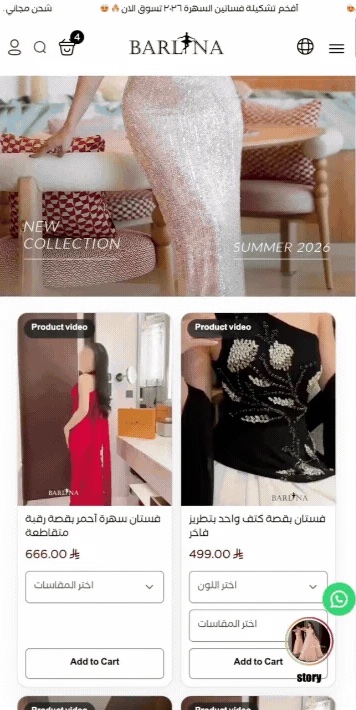
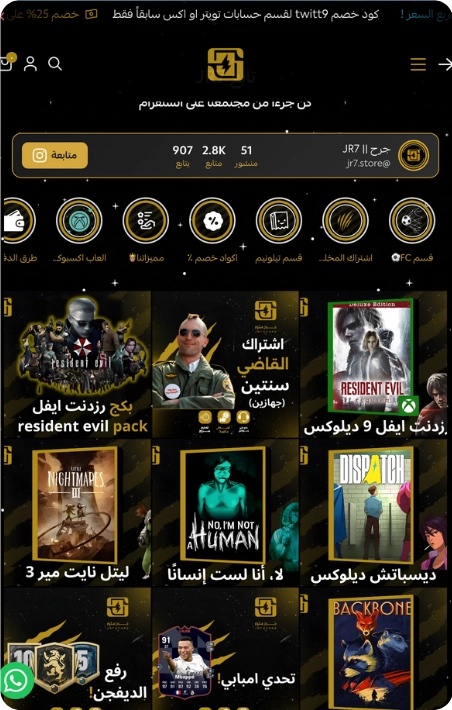





 Your store@yourstore960posts24.6Kfollowers5.2Kfollowing
 New
 Offers
 Customers
 Behind the scenes
 Ramadan
 SAR 249
 SAR 320
 SallaInstall from the Salla App Store
 ZidInstall from the Zid App Store
 WooCommerceSign up and connect the plugin
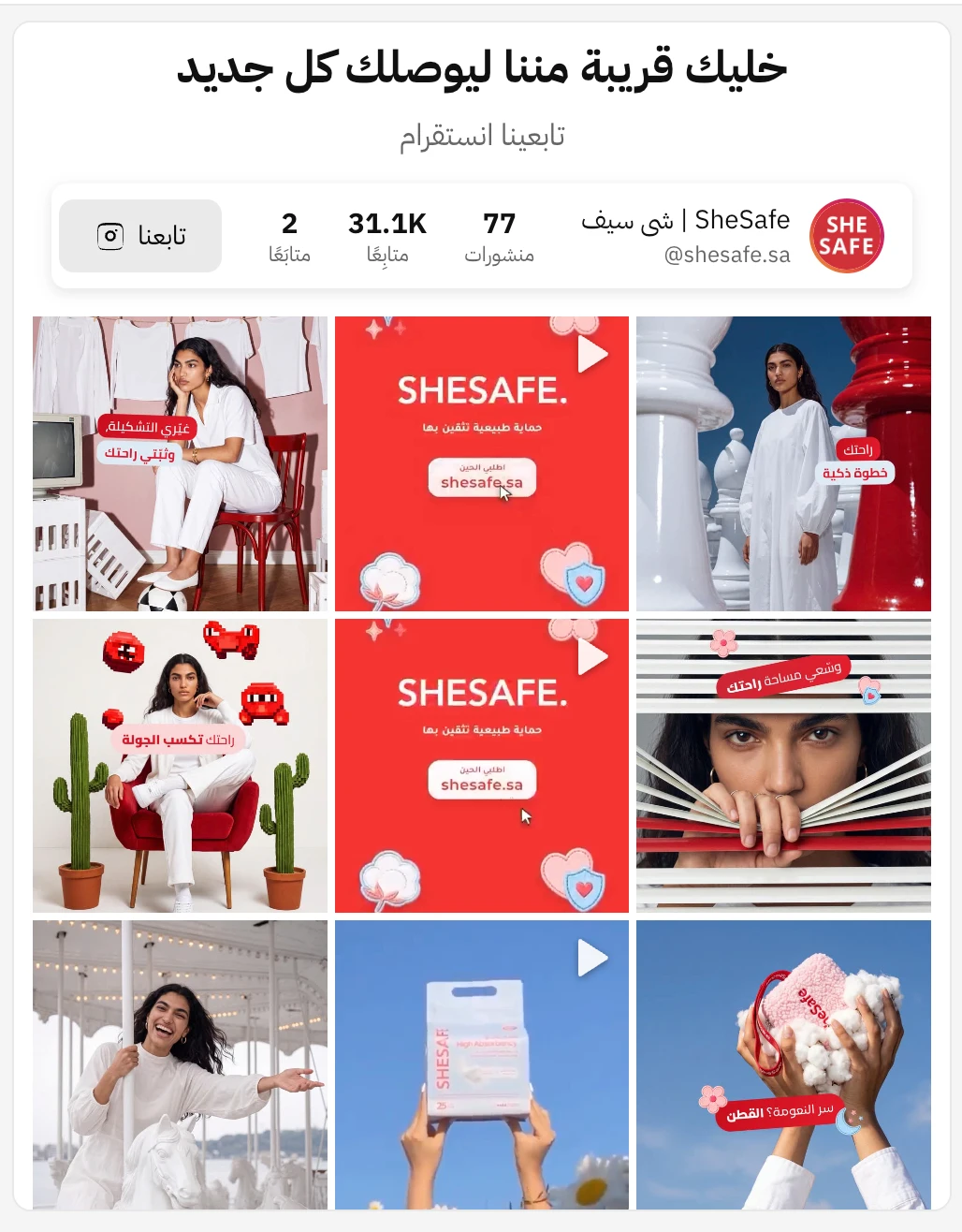
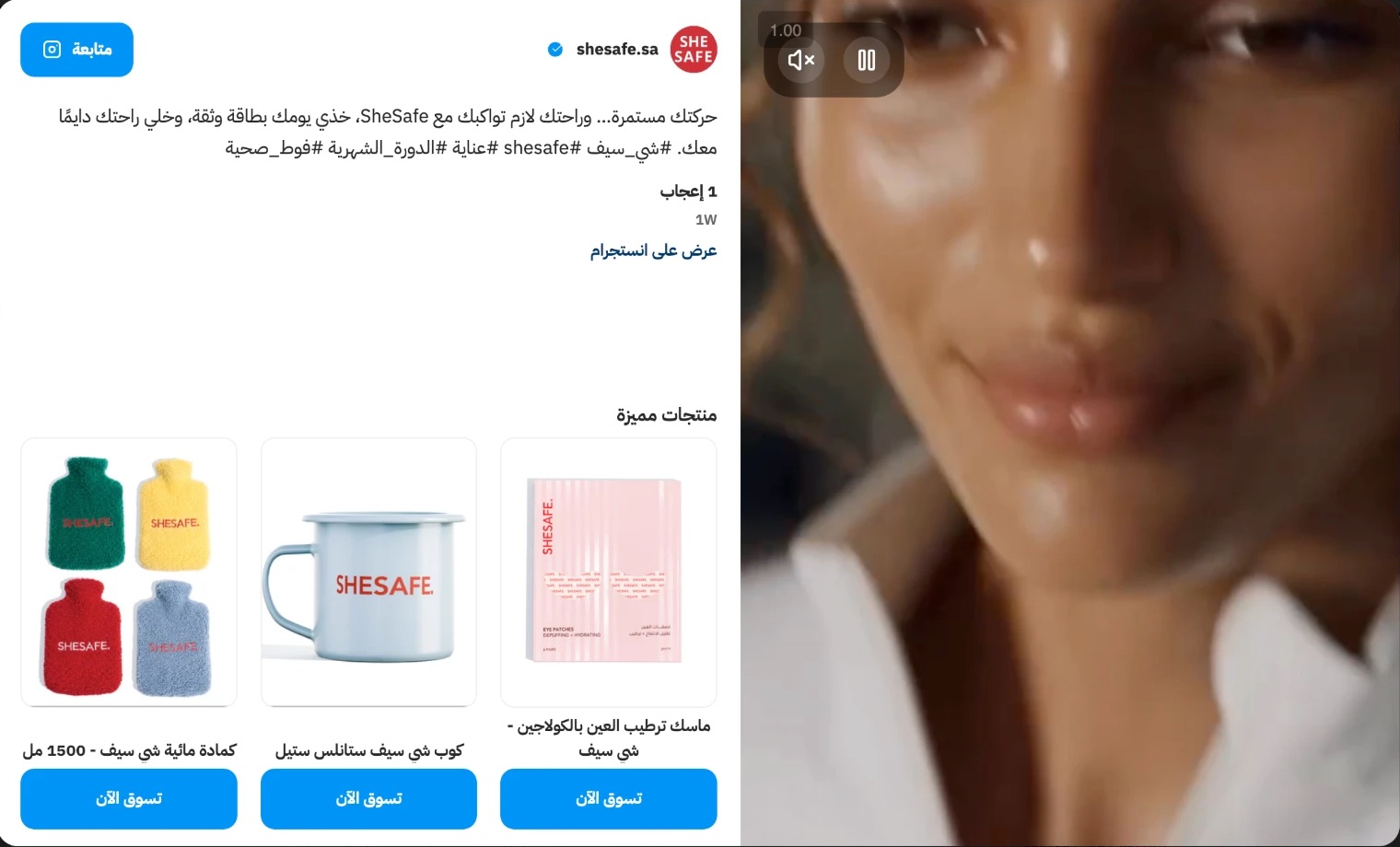 @shesafe.sa
 @yourstore2